Free Canadian Tax Software 2026: Complete Review & Comparison Guide
Compare the best free tax software in Canada for 2026. In-depth reviews of Wealthsimple Tax, TurboTax Free, GenuTax, StudioTax, UFile, and more. Discover which NETFILE-certified software is right for your situation and file your Canadian taxes for $0
Filing your Canadian taxes does not have to be expensive, and in many cases you can file completely free using CRA-certified software. This in-depth review compares the top free and "pay-what-you-want" tax filing options in Canada for the 2025 tax year (filed in spring 2026), so you can pick the best one for your situation.Quick summary: best free tax software in Canada
For readers who just want a fast recommendation, here is the shortlist.
- Best overall free online tax software: Wealthsimple Tax (pay-what-you-want, including $0, very strong for both simple and complex returns).
- Best traditional brand with a free tier: TurboTax Free (good for basic returns, strong guidance, but upsells to paid tiers).
- Best "donationware" desktop software: GenuTax Standard (fully free with optional donations, Windows desktop, multi-year support).
- Best free option for multi-year desktop filing: StudioTax (older years fully free, latest years may require payment; still widely used by power users).
- Best free option for in-person help: CRA Community Volunteer Income Tax Program (free tax clinics for modest income and simple returns).
- Honourable mentions: CloudTax Free, H&R Block Free, UFile free offers for students and low-income filers.
If you want a simple recommendation: for most Canadians with regular employment, investments, or self-employment, Wealthsimple Tax offers the best mix of usability, flexibility, and true "pay-what-you-want" pricing, including $0.Why use free tax filing software?
Paying for tax software or an accountant makes sense in some situations, but many Canadians can file free without sacrificing accuracy.
Key reasons to consider free tax software:
- Save money on fees. Paid software can easily run $20–$100+ per return, especially if you need self-employed or expert-assisted plans.
- Fast NETFILE refunds. CRA-certified software connects directly to NETFILE, so your refund can arrive in as little as 8–14 days when using direct deposit.
- Auto-fill from CRA. Many free tools support "Auto-fill my return" and "Express Notice of Assessment" so key slips and prior-year data are pulled in automatically.
- Full control and transparency. Doing it yourself forces you to see which credits and deductions you are claiming instead of blindly signing a form.
- Multiple returns in one household. NETFILE rules allow software to file up to 20 returns, which is perfect for helping family members file at no cost.
If your tax situation is straightforward, there is rarely a good reason to pay for basic tax software anymore.How free tax filing works in Canada
CRA, NETFILE, and certified software
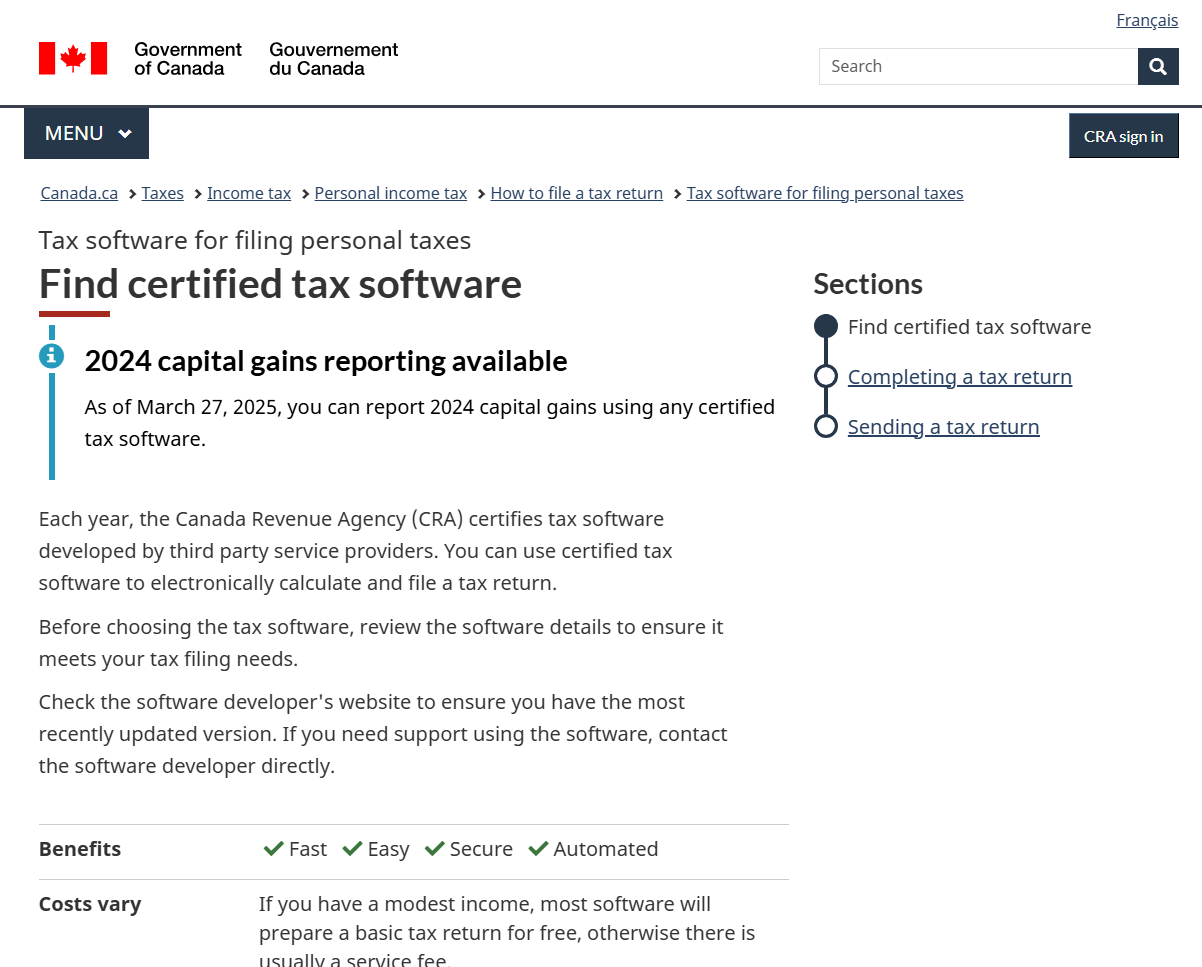
The Canada Revenue Agency (CRA) does not provide its own full-featured online tax software, but it does certify third-party programs that can send returns electronically via NETFILE. NETFILE is the CRA's electronic filing system for individuals that lets certified software submit your return directly and securely.
Key points:
- You choose any NETFILE-certified software from the CRA list.
- The software prepares your T1 return and transmits it to CRA with your consent.
- You receive a confirmation number after successful transmission.
- Many programs support CRA "Auto-fill my return" and "Express Notice of Assessment".
Some software is entirely free, some uses a pay-what-you-want model (you can set the price to $0), and some offers a free tier only for basic returns or specific groups such as students.Who should (and should not) use free tax software?
Free tax software is a good fit if:
- You are a Canadian resident with employment income, basic investment income, RRSPs, tuition credits, and common credits.
- You are comfortable reading on-screen instructions and answering interview questions.
- You do not need ongoing professional tax planning or complex corporate structures.
You may want to pay for expert help if:
- You have complex small-business structures, multiple corporations, or cross-border issues.
- You are being audited or reassessed and need representation.
- You have very high income, significant rental portfolios, or complex capital reorganizations.
For modest-income Canadians with simple tax situations, CRA-supported free tax clinics can be a great option if you prefer someone else to do the work for you.Free tax software vs. free tax clinics
Not all "free" tax help is the same, so it helps to distinguish software from clinics.
Free tax software
- Runs in a browser or on your computer/phone.
- You fill in the information yourself with prompts and guidance.
- Often supports both simple and complex returns depending on the product.
- Many tools are free or pay-what-you-want, including $0.
Free tax clinics (CVITP)
The Community Volunteer Income Tax Program (CVITP) is a CRA-supported network of community organizations that host free tax clinics.
- Volunteers help eligible individuals with modest income and simple tax situations complete their returns.
- You usually meet in person or virtually and they file your return for you.
- You must meet both the income and simplicity criteria to qualify.
Clinics are ideal for people who are not comfortable with computers or have language barriers, while software is better for those who prefer control and flexibility.Overview of the main free and low-cost options
The CRA maintains a list of NETFILE-certified software, and several of the most popular consumer options either have free tiers or pay-what-you-want pricing.
Major players to know
- Wealthsimple Tax
- TurboTax Free (Intuit)
- UFile (free offers for some users)
- H&R Block Free (online)
- CloudTax Free
- StudioTax
- GenuTax Standard
- Other niche or regional tools (e.g., Quebec-specific options)
The sections below break down each option, focusing on free usage, limitations, and who it is best suited for.Wealthsimple Tax review (pay-what-you-want, including free)
Wealthsimple Tax is an online tax platform that uses a pay-what-you-want model, letting you set your price as low as $0 for the Basic plan. It is widely recommended for both simple and more complex personal returns because it supports self-employment, investments, and even cryptocurrency.
Key features
- Web-based and mobile-friendly interface.
- NETFILE-certified for current tax years.
- Supports complex scenarios such as self-employment, investment income, and crypto transactions.
- Auto-fill my return and CRA integrations for fast data import.
- Couples and family returns can be optimized together.
Pricing
Wealthsimple Tax uses three main plan concepts for the 2026 season:
- Basic: Pay-what-you-want (including $0) with optimization for credits and deductions and a refund guarantee.
- Plus (around $40 + tax): Adds audit protection and priority support.
- Pro (around $80 + tax): Adds customized advice from a tax expert.
Wealthsimple explicitly states that you can set the Basic plan price to $0, and there are no eligibility restrictions based on income or student status.
Pros
- Truly free for any taxpayer willing to set the price to $0.
- Handles complex scenarios that other free tiers exclude.
- Very clean interface with smart optimization tools.
- Access to other Wealthsimple products (investing, high-interest accounts, etc.).
Cons
- Strong upsell pressure to pay something (although you can decline).
- Paid add-ons for audit protection and expert advice.
- Fully online, so no offline desktop mode.
Best for
- Most Canadians who want a modern, easy-to-use tax software with the option to pay nothing.
- People with investments, side hustles, or crypto who still want free filing.TurboTax Free review (Intuit)
TurboTax is one of the most recognizable tax brands in Canada and offers an online Free edition alongside its paid tiers. The free edition targets simple returns, while more complex needs push you toward paid plans or assisted options.
Key features
- NETFILE-certified with direct CRA filing and fast refunds.
- Auto-fill my return support for pulling slips from CRA.
- Guided interview with a lot of hand-holding and contextual tips.
- Option to upgrade to Live Assisted or full "Expert do it for you" services at extra cost.
Pricing
- TurboTax Free: $0 for basic returns; good for simple employment income and standard credits.
- Paid tiers: Range roughly from $20–$100+, including specialized versions for self-employment, investments, and expert-assisted options.
Pros
- Very beginner-friendly interface with detailed guidance.
- Strong brand recognition and a long history in Canada.
- Good auto-fill capabilities and CRA integration.
Cons
- Free edition supports only basic situations, with upsells to paid products for more complex returns.
- Some users feel misled if they start free and later discover they must upgrade to file.
- Can be slower and heavier than some simpler online tools.
Best for
- First-time filers with simple T4 employment income and basic credits.
- People who want a recognizable brand name and step-by-step guidance, and are okay with the possibility of paying if their situation is not "basic".UFile review (free for students and low-income filers)
UFile is a long-standing Canadian tax software that offers both online and desktop versions and often provides free access for certain groups.
Key features
- NETFILE-certified online and desktop products.
- Supports a wide range of tax situations, including self-employment and investments.
- Family returns with optimization between spouses.
- Auto-fill my return support.
Pricing and free options
UFile is not universally free, but it typically offers:
- Free filing for students and some low-income filers (details vary by year and promotions).
- Standard paid plans starting around $20 or higher for general users.
Pros
- Strong feature set comparable to major competitors.
- Desktop and online options for different preferences.
- Good value if you qualify for one of the free categories.
Cons
- Not free for most Canadians unless they are students or meet specific criteria.
- Interface can feel more utilitarian compared to newer platforms.
Best for
- Students and low-income filers who qualify for free UFile.
- Users who want desktop software but do not like StudioTax or GenuTax.H&R Block Free review
H&R Block is known for its physical offices, but it also offers an online Free tier for basic returns. This is separate from in-office paid preparation services.
Key features
- Web-based platform that is NETFILE-certified for current years.
- Free edition designed for simple returns, with paid tiers for more complex situations.
- Option to switch to in-person expert service for a fee if you get stuck.
Pricing
- H&R Block Free: $0 for basic returns, similar to TurboTax Free.
- Paid tiers: Additional features and self-employment or investment support at higher prices (varies by year).
Pros
- Trusted brand for in-person tax preparation.
- Smooth path from DIY to in-office help if needed.
- Simple online interface for basic use cases.
Cons
- Free tier limited mainly to simple tax situations.
- Strong upsell path to paid online or in-office services.
Best for
- People who want the safety net of being able to walk into a physical H&R Block office if their situation becomes complicated.
- Simple filers who prefer this brand over others.CloudTax Free review
CloudTax is a Canadian online tax platform that positions itself as an easy, mobile-friendly way to file your taxes, with both free and paid plans.
Key features
- NETFILE-certified for current tax years.
- Web and mobile apps with cloud-based storage.
- Supports auto-fill my return and multiple tax years.
- Offers a free self-guided plan and paid plans with more support.
Pricing
CloudTax typically offers:
- CloudTax Free: Self-guided filing for individuals comfortable filing on their own; intended for those who do not need extra help.
- CloudTax Plus / Pro: Paid plans with review services, priority support, audit protection, and the ability to file multiple returns under one account.
CloudTax mentions that the free plan covers basic tax returns, while premium options add features and support at extra cost.
Pros
- Strong focus on ease of use and mobile access.
- Free plan available with optional paid add-ons.
- Audit protection and support available if you choose paid tiers.
Cons
- Free version may not cover all complex situations.
- Upsell path towards Plus and Pro for those needing more support.
Best for
- Users who like a modern, mobile-first interface.
- Those who want a free option with the possibility to upgrade to audit support and human help.StudioTax review
StudioTax is a long-standing Canadian tax software product that has historically been completely free for personal use, especially for older tax years. It is popular among more advanced users who prefer a desktop application.
Key features
- Desktop software for Windows, Mac, iOS, and Android.
- NETFILE-certified (including ReFILE, Auto-fill, and Express Notice of Assessment) for supported years.
- Supports complex returns, including foreign property reporting (T1135) in Windows and Mac versions.
- Capable of preparing multiple years, though licensing has changed for newer years.
Pricing
- 2019 and prior versions: Free for personal use with no strings attached.
- Latest versions: May require payment per year; details vary and are outlined on their payment page.
So while older years are entirely free, filing the most recent tax year may involve a fee.
Pros
- Very powerful and flexible, especially for advanced users.
- Desktop-based, so you can work offline.
- Free for older years, helpful if you are catching up on historical returns.
Cons
- Interface is less polished and can be intimidating for beginners.
- Latest tax years may no longer be fully free.
- Requires installation and updates; not as convenient as purely online tools.
Best for
- Experienced filers who want full control and a desktop environment.
- People who need to file multiple older years without paying per year.GenuTax Standard review (fully free donationware)
GenuTax Standard is a multi-year Windows tax program that is completely free, relying on voluntary donations to fund development. It has developed a loyal following among Canadians who want a no-nonsense desktop solution.
Key features
- Desktop software for Windows, designed for personal use.
- Supports filing multiple years, currently from 2003 through 2024, with 2025 support scheduled.
- Interview-style interface that walks you through your situation and helps claim deductions and credits.
- NETFILE certification is year-specific; you must check its status each tax season.
For the 2025 taxation year (filed in 2026), GenuTax notes that NETFILE certification has not yet been obtained and will be updated closer to the season.
Pricing
- Software and annual tax updates are described as completely free, with optional donations encouraged.
Pros
- Truly free software without mandatory fees.
- Very strong value if you file multiple family returns or multiple years.
- Great for users who prefer desktop control and dislike subscriptions.
Cons
- Windows-only; no native Mac version.
- NETFILE certification for the newest year sometimes comes closer to the filing season.
- Less marketing polish and fewer "hand-holding" features than big commercial brands.
Best for
- Budget-conscious users who want fully free desktop software.
- People comfortable with a more utilitarian interface.Free tax clinics (CVITP) review
CRA's Community Volunteer Income Tax Program (CVITP) and related programs provide free tax preparation in partnership with community organizations.
Key features
- In-person and virtual clinics run by local organizations.
- Volunteers complete and file your return for you.
- Focused on those with modest income and simple tax situations.
Eligibility
To use free clinics, you generally must have:
- Modest income (thresholds vary by family size and year).
- A simple tax situation (e.g., no complex self-employment, rental businesses, or capital gains beyond basic situations).
Pros
- Completely free and human-assisted.
- Ideal for those who are not comfortable with computers or tax forms.
- Supported by CRA and community organizations.
Cons
- Not available year-round in every community.
- Not suitable for complex returns.
- Appointment availability can be limited during peak season.
Best for
- Seniors, newcomers, and modest-income individuals with straightforward returns.
- Anyone who wants human help and qualifies under CVITP guidelines.Comparison: best free Canadian tax filing options
Feature comparison table
Key free Canadian tax options (2026 season)
| Software / service | Free model | Platform | Complexity supported in free tier | Notable features |
|---|---|---|---|---|
| Wealthsimple Tax | Pay-what-you-want (incl. $0) for Basic | Online | Simple to complex, including self-employment and crypto | Auto-fill, optimization, optional audit protection & expert help |
| TurboTax Free | 100% free, but only for basic returns | Online | Simple employment and common credits | Strong guidance, auto-fill, upsells to paid tiers |
| UFile | Free for students and some low-income; paid otherwise | Online & desktop | Wide range, depends on plan | Student/low-income freebies, multi-year support |
| H&R Block Free | Free online tier for basic returns | Online | Simple returns only | Link to in-office paid services |
| CloudTax Free | Free self-guided plan; paid Plus/Pro for extras | Online & mobile | Primarily basic returns in free plan | Audit protection and support in paid tiers |
| StudioTax | Older years fully free; latest year may require payment | Desktop & mobile | Complex scenarios supported | NETFILE, Auto-fill, multi-year, offline use |
| GenuTax Standard | Fully free, donation-supported | Desktop (Windows) | Wide coverage; check certification per year | Multi-year filing (2003–2024+), simple interview interface |
| Free tax clinics (CVITP) | Free in-person or virtual preparation | Human-assisted | Simple returns only, modest income | Volunteers complete and file return for you |
- How to choose the best free tax software for your situation
It helps to think in terms of your complexity, comfort with technology, and budget.
1. Simple employment income, no extras
- Recommended: Wealthsimple Tax (set price to $0) or TurboTax Free or H&R Block Free.
- If you want maximum hand-holding, TurboTax Free or H&R Block Free feel more step-by-step.
- If you want full flexibility and future-proofing (e.g., next year you might have investments), Wealthsimple Tax is better.
2. Students and low-income filers
- Recommended: UFile if you qualify for student or low-income free filing.
- Wealthsimple Tax is also a strong choice with $0 pricing, especially if you already use Wealthsimple for investing.
- If tech is a barrier, consider free CRA-supported tax clinics.
3. Self-employed, gig workers, and side-hustlers
- Recommended: Wealthsimple Tax (handles self-employment and complex returns even in Basic).
- TurboTax or UFile can work but may require paid tiers for full self-employment support.
4. Investors, rental income, or crypto
- Recommended: Wealthsimple Tax for most individuals, given its support for investments and crypto.
- StudioTax or GenuTax for advanced users who want desktop control and do not mind a steeper learning curve.
5. Catching up on many old years
- Recommended: StudioTax (2019 and earlier free) and GenuTax (2003–2024 and beyond) for multi-year desktop filing at no cost.
- Check NETFILE eligibility by year; older years may need to be printed and mailed instead.
6. Not comfortable using a computer
- Recommended: Free community tax clinics (CVITP) if you meet the modest-income and simple-return criteria.
- Alternatively, pay for an in-office H&R Block or similar preparer.Step-by-step: how to file your taxes for free using NETFILE
The high-level process is similar for most software.
- Choose your software.
- Decide between options like Wealthsimple Tax, TurboTax Free, GenuTax, etc., making sure your pick is NETFILE-certified for the current year.
- Gather your documents.
- SIN, T4s, T5s, RRSP contribution slips, tuition forms, and any other tax slips.
- Also gather receipts for deductions and credits (childcare, medical, donations, transit if applicable).
- Create or sign into your CRA My Account (recommended).
- This enables Auto-fill my return, where your slips are pulled directly from CRA into the software.
- Start your return and use Auto-fill.
- Authorize the software to connect to CRA and import your slips where supported.
- Review imported data carefully for accuracy.
- Answer interview questions and enter additional information.
- Software will walk you through income, credits, dependents, RRSPs, and other sections.
- Claim applicable credits such as GST/HST, climate action, and provincial benefits where prompted.
- Review your return.
- Most tools show a summary of your refund/balance and highlight potential issues.
- Fix any flagged errors or missing information.
- Submit via NETFILE.
- When ready, e-file and capture the confirmation number provided by the CRA.
- Keep a copy of your return and confirmation for your records.
- Track your refund.
- Log into CRA My Account to see your Notice of Assessment and refund status.
- With direct deposit, many refunds are processed within about two weeks.Frequently asked questions about free tax filing in Canada
Is free tax software really safe?
NETFILE-certified software must meet CRA security and reliability standards, and transmissions are encrypted. As long as you stick to certified programs from reputable providers, free does not mean insecure.
Will I get a smaller refund with free software?
Free software uses the same tax rules as paid tools; your refund amount depends on your personal situation and how accurately you enter information. Some free products even guarantee maximum refund optimization for typical personal returns.
Can I file multiple family members' returns for free?
Most NETFILE software allows you to file up to 20 returns per year from one computer or account, which is ideal for families. Whether each return is free depends on the software's pricing model, but products like GenuTax, StudioTax (older years), and pay-what-you-want Wealthsimple make this very affordable.
What if I make a mistake?
If you discover an error after filing, you can often use CRA's ReFILE service through supported software or submit an adjustment request online in your CRA account. Some paid add-ons (e.g., audit protection or expert review) may make corrections smoother but are not required for most simple errors.
Are free tax clinics using the same software?
Many volunteer clinics use CRA-approved software behind the scenes, but from your perspective you do not interact with the software directly. The volunteers handle data entry and filing while you provide your documents.Bottom line: which free Canadian tax software should you use?
If you want the single best all-round option, Wealthsimple Tax stands out for 2026 because it supports complex scenarios, integrates tightly with CRA, and allows truly free filing via pay-what-you-want pricing. For users who prefer desktop, GenuTax Standard and StudioTax remain excellent no-cost or low-cost choices, especially when filing many years or many family members' returns.
For very simple returns and those who like big brands, TurboTax Free and H&R Block Free are strong contenders, as long as you understand where the free tier ends and the paid upsells begin. And if you have modest income and a simple return but do not want to touch software at all, CRA-supported free tax clinics are still one of the most valuable under-used resources in the system.
With the right choice, most Canadians can file quickly, securely, and accurately every year without paying a cent for tax software.
Summary: Filing your taxes in Canada does not require expensive software. Options like Wealthsimple Tax (pay-what-you-want including $0), TurboTax Free, GenuTax Standard, StudioTax, and CRA free tax clinics provide powerful, secure ways to complete your return at no cost. Choose based on your tax complexity, comfort with technology, and whether you prefer online or desktop software. With NETFILE certification and CRA Auto-fill integration, free Canadian tax software delivers fast refunds and full control over your return without the price tag.Common tax credits and deductions to claim when filing for free
Whether you use free tax software or paid options, the key to maximizing your refund is claiming every credit and deduction you're entitled to. Here are the most commonly missed opportunities:
Federal tax credits
- Canada Workers Benefit (CWB): Refundable tax credit for low-income workers
- GST/HST credit: Quarterly payments for modest-income individuals and families
- Canada Carbon Rebate (Climate Action Incentive): Available in provinces with federal carbon pricing
- Home Buyers' Amount: Up to $10,000 for first-time home buyers
- Disability Tax Credit: For individuals with prolonged physical or mental impairment
- Medical Expenses: Claim expenses exceeding 3% of your net income
- Charitable Donations: Federal credit of 15% on first $200, 29% above that
Employment and education credits
- Tuition Tax Credit: Carry forward unused amounts from current or prior years
- Student Loan Interest: Deduct interest paid on government student loans
- Moving Expenses: If you moved for work or school (40km closer)
- Home Office Expenses: Detailed or flat-rate method for employees working from home
- Union Dues and Professional Fees: Deduct annual membership costs
Family and dependent credits
- Canada Child Benefit (CCB): Monthly payments automatically calculated when you file
- Child Care Expenses: Deduct costs for daycare, camps, and before/after school programs
- Eligible Dependent Amount: For supporting a dependent family member
- Caregiver Amount: For caring for a spouse, parent, or relative with impairment
All free tax software options reviewed in this guide automatically search for these credits and deductions, but it's helpful to know what to look for when answering interview questions.
2026 Canadian tax filing deadlines and key dates
Missing tax deadlines can result in penalties and interest charges, even when using free software. Mark these important dates:
Key filing deadlines for 2025 tax year
- April 30, 2026: Deadline for most Canadians to file their 2025 tax return
- April 30, 2026: Deadline to pay any balance owing (interest starts May 1)
- June 15, 2026: Extended deadline for self-employed individuals and their spouses (but payment still due April 30)
- December 31, 2026: Deadline to contribute to RRSP for 2026 (60 days after year-end)
CRA payment and assessment timelines
- 8-14 days: Typical refund processing time for NETFILE with direct deposit
- 4-6 weeks: Refund time for paper returns mailed to CRA
- Within days: Express Notice of Assessment available through some software
- 10 years: How far back you can file late returns to claim refunds
RRSP contribution deadline
The RRSP contribution deadline for the 2025 tax year is March 2, 2026 (60 days after December 31, 2025). Contributions made by this date can be claimed on your 2025 return to reduce your taxable income.
Money-saving tips when filing taxes for free in Canada
Beyond choosing free software, here are strategies to save money and maximize your refund:
Before you file
- Set up CRA My Account - Enable Auto-fill to import slips automatically and avoid data entry errors
- Gather all tax slips - Wait until late February to ensure all T4s, T5s, and receipts are available
- Check prior year carryovers - Unused tuition credits, capital losses, and RRSP room carry forward
- Keep receipts organized - Medical, charitable, and childcare receipts may be requested during review
Optimize your return
- Split income with your spouse - Pension income splitting can reduce overall family tax
- Maximize RRSP contributions - Reduce taxable income while building retirement savings
- Claim all medical expenses - Include spouse and dependent children; they add up quickly
- Don't forget provincial credits - Many provinces offer additional credits beyond federal
After you file
- Set up direct deposit - Get refunds weeks faster than waiting for a cheque
- Sign up for CRA email notifications - Track your return status without calling
- Keep copies for 6 years - CRA can request supporting documents during this period
- File on time even if you owe - Late filing penalties are 5% plus 1% per month
Using free software doesn't mean sacrificing refund optimization. Most free options match paid software for credit and deduction discovery.
Province-specific free tax filing considerations
While federal tax rules apply nationwide, each province has unique credits, deductions, and programs:
Ontario
- Ontario Trillium Benefit (OTB): Combines energy, sales tax, and property tax credits
- Ontario Staycation Tax Credit: 20% credit on eligible accommodation expenses
- Ontario Seniors' Home Safety Tax Credit: Up to $2,500 for seniors making homes safer
British Columbia
- BC Climate Action Tax Credit: Quarterly payments for low and moderate-income individuals
- BC Training Tax Credit: For eligible tuition and exam fees
- BC Home Renovation Tax Credit for Seniors: Up to $1,000 per year
Quebec
Quebec requires filing two separate returns - one federal (T1) and one provincial (TP-1). Most free tax software handles both:
- Wealthsimple Tax, TurboTax, UFile, and H&R Block all support Quebec provincial returns
- StudioTax and GenuTax support federal returns only; you'll need separate Quebec software
Alberta
- Alberta Child and Family Benefit: Automatic when you file with eligible children
- No provincial sales tax: Simplifies some calculations compared to other provinces
Other provinces
All provinces offer variations on property tax credits, seniors' benefits, and low-income supplements. Free tax software automatically applies provincial credits based on your residence.
Is free tax software right for your situation?
Free tax software works for the vast majority of Canadians, but some scenarios may benefit from professional help:
When free software is perfect
- T4 employment income with standard deductions
- Investment income from T3 and T5 slips
- Basic self-employment or side hustle income
- Rental income from one or two properties
- RRSP, TFSA, and RESP transactions
- Tuition credits and student loan interest
- Standard family situations with dependents
- Cryptocurrency bought and sold through Canadian exchanges
When to consider paid help
- Complex corporate structures with multiple businesses
- International income and foreign tax credits requiring detailed reporting
- Large capital reorganizations or estate settlements
- Audit or reassessment requiring CRA representation
- Tax planning for high-net-worth situations
- First-time business incorporation
For most personal tax situations, free software provides everything you need. If you're unsure, start with free software and consult an accountant only if you encounter something the software can't handle.
Ready to file? Visit the CRA's certified tax software page to see the full list of NETFILE-approved options and choose the free tax filing software that's right for you this tax season.